Practical sensitivity and aim guide for mobile Free Fire players
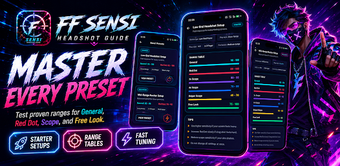
FF Sensi Headshot Guide, created by Arini Indarti, is an Android companion that helps Free Fire players refine aim mechanics and device sensitivity. The app focuses on manual configuration rather than automation, offering guidance for sensitivity tuning, HUD placement, fire button setup, and a structured seven-day training plan. It bundles device-specific starting points and saved loadouts, and targets beginners and casual players who want systematic practice with offline access for privacy.
How the tool defines manual sensitivity work and safe practice
The app adopts a manual-focused approach that emphasizes skill development instead of automated shortcuts, a point stated explicitly in the feature set. The included Find My Sensi generator produces a starting setup based on device type, play style, and specific aim problems, while Aim Fix Solutions present step-by-step troubleshooting for shaky aim, heavy drag, and missed taps. That framing positions the app as a training companion rather than a game modifier.
What a daily workflow looks like when using the guide
Players follow a structured routine using the Daily Training Plan to practise consistently across sessions. The app supports saving configurations and personal notes as saved loadouts, and it provides practical HUD layout guidance for 2-, 3-, and 4-finger setups plus fire button placement advice. Together these pieces form a repeatable workflow: diagnose, apply a starting setup, practise for seven days, then iterate.
How approachable the interface and onboarding are for new players
The interface uses a dark neon gaming theme intended for readability and a lightweight experience on mobile hardware. The app runs offline and requires no login, which lowers entry friction while preserving privacy. Because the emphasis is on manual tuning, some players need patience to translate recommendations to their device; the structured training routine reduces that learning friction by suggesting measured practice instead of rapid setting changes.
How device compatibility and safety considerations are handled
The app supplies sensitivity presets mapped to hardware tiers from low-end to high-end and includes starting points for many phone brands, which helps users adapt recommendations to their device. It is Android-only and explicitly does not modify game files, nor does it require game account access, so it is presented as a legitimate, offline guide rather than a hack or cheat.
Who should rely on this app and who should look elsewhere
The app suits beginners and casual players who prefer hands-on tuning and a methodical practice rhythm, since it prioritizes manual skill development over automated adjustments. Competitive players seeking advanced telemetry, multi-device synchronization, or automated tuning tools should consider alternative utilities that provide those capabilities.